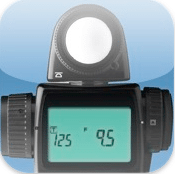
 When I first saw this app I immediately discounted it as a gimmick. “That couldn’t possibly work,” I said. But I have been wrong before.
Then I tried it. What you get is a spot meter, which means that you get your reading by pointing your iPhone camera at the spot that you want to meter. The operation could not be any simpler. In this test I convinced my son, Cody, to be the model. I assured him that I just needed to meter his face to see if the meter is accurate. No photos were to be taken. (Okay, so I’ve been wrong before and I also sometimes lie.)

The reading on the Sekonic meter was 1/4 sec.
I asked Cody to sit next to the Christmas tree with one side of his face illuminated by the lights from the tree. Since the light was pretty low I set the ISO at 1600 and the aperture at f5.6. I wanted the meter to tell me what shutter speed to use. I first used the spot meter function on the Sekonic meter, which told me to shoot at ¼ second. Read More→
A college administrator by profession, Mike Kennamer enjoys the opportunity to take photos and improve his skills by shooting events at work, church, and for friends. He enjoys landscape photography, portraiture and is starting to dabble in HDR. His current photography project involves learning to control flash manually. “My goal”, according to Kennamer, “is to be the best photographer I can be.”
Kennamer is also the President of Kennamer Media Group, Inc., a provider of traditional and online media, specializing in the healthcare industry. On CurrentPhotographer.com he writes about iPhone and iPad applications for photographers.
 Jan 17, 2011 – PRESS SUMMARY – Sekonic announced the availability of the new L-308DC DigiCineMate – a simple and easy-to-use compact light meter that is ideal for today’s DSLR videographers and digital cinematographers as well as still photographers. It features a full range of shutter speeds plus a special grouping of cine speeds and shutter angles and indicates exposure in f-stops to one-tenth step. The unit’s LCD readout can be customized to display only specific functions needed for the task at hand for fast, easy operation.


