 “Please sir, I want some more.” Even though he had a great British accent, and the whole play was named after him, that question didn’t get Oliver anything but trouble. But your luck is going to be much different when you download InstaCollage Free.
 There are a lot of frame and collage tools out there. Take your pick. There are some good ones. But this one comes with what our neighbors in Louisiana call lagniappe–a little something extra. So here is what you get!
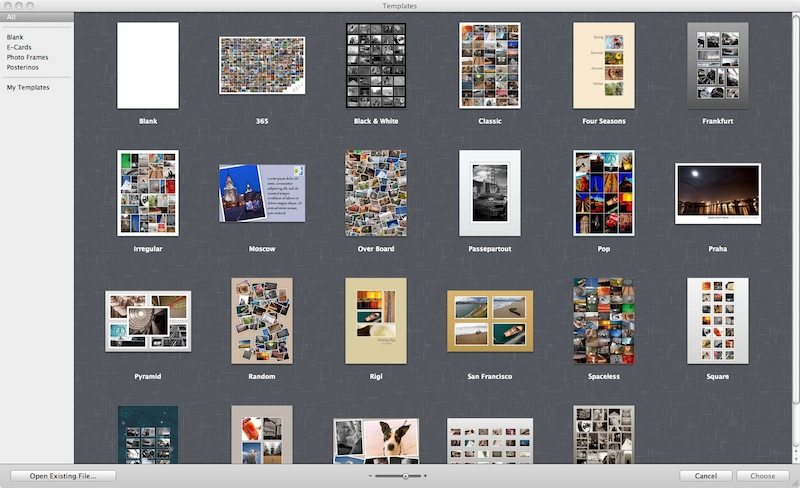
First of all, you get a number of collage frames. At the top are 22 collage choices and at the bottom are 22 frame choices. Once you have selected an arrangement and frame you may select your photos by simply clicking on the empty frame and selecting your photos. Once this is done, you can adjust the look of the frames with the “Style” menu. You can add text using the “Text” menu and add a number of stickers using the “Stick” menu. If that were not enough, you may click on the “Effect” menu to select from 8 effects, including sharpen, blue, polaroid, bright, and others.
Finally, you may share your photos by saving to the camera roll, sending via email, or posting to Facebook, Twitter, or Instagram.
So there is a lot here to like. The only thing that I didn’t like is that the developers did not pass up the opportunity to try to sell you the InstaCollage Pro version, which includes 60+ photo frames, 45+ frame layouts, 140 stickers, etc. Yes, I saw it so many times I have that part memorized. Okay, it’s not that bad, but they do put on a pretty hard sell. Read More→

A college administrator by profession, Mike Kennamer enjoys the opportunity to take photos and improve his skills by shooting events at work, church, and for friends. He enjoys landscape photography, portraiture and is starting to dabble in HDR. His current photography project involves learning to control flash manually. “My goal”, according to Kennamer, “is to be the best photographer I can be.”
Kennamer is also the President of Kennamer Media Group, Inc., a provider of traditional and online media, specializing in the healthcare industry. On CurrentPhotographer.com he writes about iPhone and iPad applications for photographers.