Archive for Zillion Photography

OSXcellence – CloudApp Review

And now, a first – a non-photography-specific app. But as you know, I wouldn’t be posting an app review unless it was useful for you photographers.

CloudApp is available from the Mac App Store for free, and is operated via a cloud-shaped menu bar item. The concept is one of seamless sharing of virtually any file, and from a photographer’s point of view, is a quick and simple method of sharing images online.
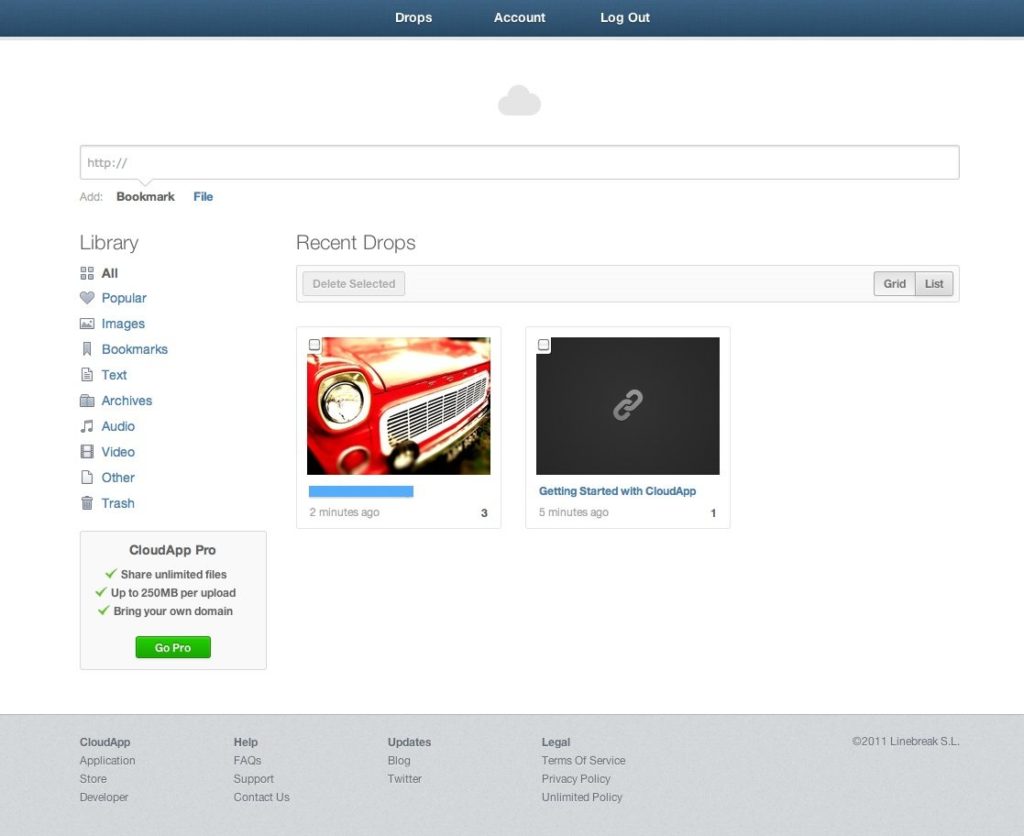
To share a file with CloudApp – supported formats include images, bookmarks, text, video and audio – all that is required is for the file to be dragged onto the CloudApp icon. This starts the upload, which seems very snappy (possibly even faster than Dropbox), and when this is complete, a desktop notification is displayed. Uploaded files are automatically assigned a (relatively) short link, which can then be used to share the file.

CloudApp’s drop-down menu displays your recent file uploads, which can then be clicked on, taking you to the file in question, and in addition, all files are also accessible via an Evernote-style web-app.

For anyone who wants to share images, CloudApp is the slickest way of doing so – I certainly can’t imagine using Photobucket again. Read More→

OSXcellence – Posterino Review

There are many simplistic collage apps out there, allowing for images to be slung onto an imaginary piece of paper. Many of these produce results that are less than attractive. Posterino tries to raise the bar in this genre.

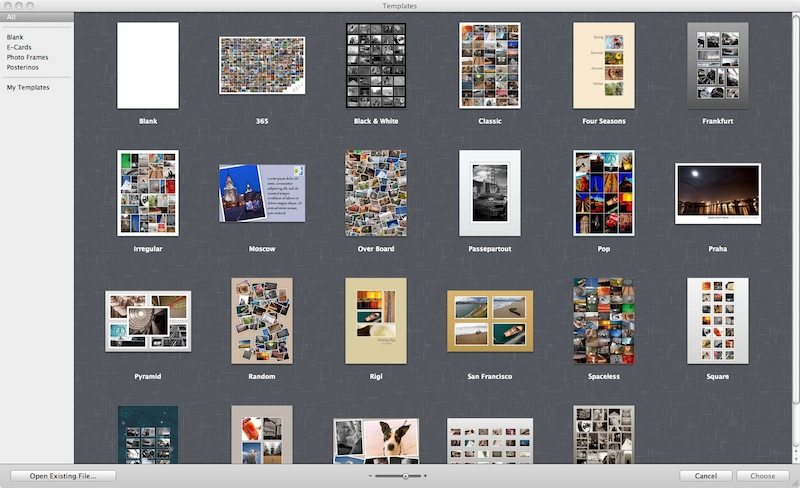
Posterino certainly looks the part. When you open a new project, a sleek interface is presented, and there are a number of different categories of project types that can be selected: blank, e-cards, photo frames or “posterinos.” Due to the formidably large array of customisation options available for projects (colour, frame size/position/colour, font etc), virtually any layout is possible, although most of the time, there is no need to stray from the templates.

Read More→

OSXcellence – Neat Image Review

You know the feeling – great light, perfect composition, beautifully exposed; but ruined by grain. And whilst many image processing apps have noise reduction on them, the results are often very poor. For this reason, many swear by the grain-combating qualities of Noise Ninja, but this isn’t the only app that does a fine job of reducing noise – Neat Image should also be considered as an option.

The look of Neat Image – very dull, very functional (almost Windows-like…) – belies a highly polished noise-reducing app. Whether you choose the Home edition ($39.90 for the standalone app, single-user) or the Pro edition ($69.90 standalone, single-user), noise is almost eradicated, with only a small amount of detail being lost.

When you input an image into Neat Image, the image exposure may be corrected before moving on to noise reduction. The Home edition allows for up to 100 images to be batch-processed, whilst the Pro edition allows unlimited batch images. Additionally, the Home edition is restricted to 8 bit image processing, whereas the Pro edition allows up to 32 bit. Essentially, the Home edition is designed for images originating from compact cameras.

Noise reduction begins with image profiling – the auto setting seems to be very accurate, but fine-tuning is available for control-freaks. You can also load previously used profiles.

OSXcellence – FX Photo Studio Pro Review

(O.K., O.K…. another effects app. But this one is different, I promise!)

I have reviewed a few effects apps for Mac in this series, and used many more. Some have been good, some limited, some very average. Having used FX Photo Studio Pro ($39.99/£27.99), however, I can say that anyone who purchases this app may never need another effects app again.

Extreme praise you may be thinking. But I think it is merited – FX Pro has raised the bar for stylising as far as I am concerned, not just because of the vast quantity of high quality filters it provides; nor just because you can add as many styles to an image as you like; nor is it because all the filters are highly adjustable. It is because of the app’s sleek, beautiful design, its stability, and its ease of use. It is fair to say that I prefer using this to iPhoto (though obviously FX Pro performs a different function).

Importing images is as straightforward as drag-and-drop, and images load at lightning speed, with a high quality preview.

Step one is to apply one or more effects. With 172 effects, given their quality, if you can’t find an effect to suit your picture amongst this selection, you’re not trying hard enough. What’s more, all of these effects are customisable, and I’m not just talking about a “strength” slider. One of the better examples is the very fine tilt-shift filter; the strength of blur, and the radius of the focus sweet spot are selectable, along with the actual placing of the sweet spot. The colour warping filters can be adjusted to include a smaller or larger colour target range, whilst even a 3D effect can be applied, with the degree of depth adjustable.

Using these effects is a great experience. All are accessible from the bar at the bottom, and can be located by category, by the search bar, or from your favourites list – yes, there is one for sorting the proverbial “wheat” effects, from the “chaff” ones.

Another killer feature here is the ability to save and recall presets; that is, the particular settings you have used for an effect, meaning even speedier effect application. The ability to see a “before and after” split-screen is another welcome bonus. Read More→

OSXcellence – Lo-Fi Review

Back in the heyday of film photography, the effects of light leaking, blue flash and print yellowing were often bemoaned by many photographers striving for the best quality. As digital camera image quality has become exemplary, however, many people are using phone cameras and apps to recreate these effects to reignite their creativity – an example app being Lo-Fi.

Lo-Fi presents itself in a window shaped like the back of a camera, with all functions assigned to camera-like buttons. I have to say, this gives a slick and beautiful face to Lo-Fi, which makes adding effects very easy. The effects available include frame, film and “mood” (effectively a style, like burned out, or light-leak). The fact that multiple effects can be applied to each image or batch images differentiates Lo-Fi from other effect apps.

Read More→

OSXcellence – Photon App Review: RAW Image Viewing for Your Mac

Most Mac users use iPhoto to organise and view pictures, or an alternative such as Picasa, or software included with their DSLR (eg Digital Photo Professional with Canons). These work beautifully with jpegs and other similarly small files. If you want to shoot in RAW, however, these apps start to struggle when you want to flick through your latest uploads, especially on Macs other than the super-fast.

For this reason, Green Volcano Software has come up with their own alternative, Photon.

Photon does not do editing, and its organisational abilities are very limited. Photon merely focuses on RAW image viewing. Whereas iPhoto and its competitors produce only jpeg previews for your RAW images, only revealing the RAW file when it is called up, Photon loads the RAW files immediately, as they are uploaded, ready to be scrutinised. The result of this simplicity is speed and ease of use.

When pictures are uploaded, they do take a little while to load, but not noticeably longer than loading jpegs in any of the apps named above. When they have loaded, it is wonderful to see your RAW files in full and glorious detail, and metadata and histograms for the images are available to be called up.

Photon3

Read More→