Archive for grunge

Tips To Improve Your Grunge Photography

If you want to improve your grunge photography, allow these simple tips and tricks to help you find interesting subjects, compose your shots, and if nothing else, inspire you.  I have assembled some of my best tips and tricks that can be used not only for grunge photography, but other photographic styles as well.

The End Of The Road

Take The Road Less Traveled

Instead of traveling the same road that everyone else travels, make your own way. Most of the abandoned and grunge photos I have taken are the direct result of taking back roads, and avoiding highways. Every small town will always have at least one ghost road, at least one abandoned building, and generally a handful of friendly people who will be more than happy to suggest places that a photographer might be interested in. When in doubt, ask someone who lives or works in the area; those with a lot of local knowledge will be most helpful.

This photo was found at the end of a dirt road. It is also important to geotag your photos, especially if you add them to Flickr so that others can see where the photo was taken (more on this later).

The Life They Let Slip Away (Holga Edit)

Don’t Overlook The Details

Or as they say, the proof is in the pudding. Instead of just taking photos of grand places, shoot the details. While I was exploring an abandoned house, I came across a room filled with trash and neglected toys. Just as I was about to leave, I came across this old doll laying on the floor behind an open door. After taking several shots of this doll, this one was by far my best shot of the day, and perhaps one of my most talked about and coveted photos.

Empty House 1 - 1

Do Your Research

In other words, know before you go. I originally planned to visit the abandoned town of Centralia, Pennsylvania. After talking to some local folks, I was referred to Ashland instead, which was a neighboring town with lots of abandoned places. I came across this abandoned house; it looked small from the front, but looks can sometimes be deceiving. It ended up being a multi-family dwelling with some sort of car repair shop in the back.

Old Phone

Trash Can Be Pretty

The mark of a good photographer is the ability to take a picture of something nobody cares about, might find uninteresting or is just plain unattractive, and turn it into a priceless shot. One of the best groups on Flickr is called clutter, litter, mess and muddle.  I found this old telephone on top of a pile of discarded trash.  The fact that it was raining at the time the shot was taken added to the mood and made the lighting even more interesting.

Roller Skates

Look For Patterns

I decided to spend some time at a skating rink following a birthday party I was photographing.  At closing  time, I watched about 100 people drop their skates in front of the skate rental counter.  I took this picture as the staff went around picking up the pairs of skates one by one as they were put back on the shelves.

Geotag Your Photos

Flickr has an amazing mapping feature that I believe is not used nearly enough.  If you go to the Map Page on Flickr, you will be shown an interactive map of where photos were taken.  Not only is this a great way to view new and interesting places and photographs, but it can also be a useful tool to research places to take photos. Above all else, one of the best ways to share your grunge photography and/or urban exploration photos is to disclose the location where it was taken.  I try to geotag the photos I take whenever possible, except sometimes when the location needs to remain undisclosed to protect the property or to protect myself from possible litigation by the property owners, be it current and/or future.

Here are a handful of related Flickr groups worth a look:

I should probably also mention this guys blog… Jacques has a fascinating collection of urban exploration photograpy, and his blog is entertaining, inspiring, and resourceful.

Secrets of Lo-Fi Photography

between an erupting earth and an exploding sky
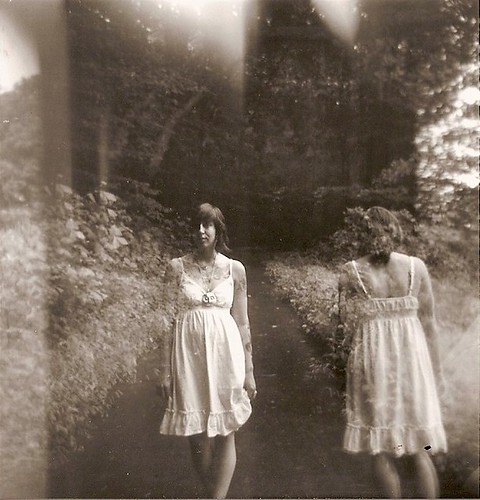
Between An Erupting Earth And An Exploding Sky by Ashley Buress, Used With Permission.

Lo-fi photography is a style of photography generally using poor equipment, such as toy cameras or pinhole cameras, for stylistic effect. It is often considered a reaction to the perceived ease of creating technically perfect photos in the digital age. Generally the emphasis is on using film, rather than digital technology.
–Wikipedia

The LaundromatPop CornSave-A-LotUnleaded $3.239

Recently, I learned an important lesson about photography.  The camera does not make the photograph, the photographer does.  This concept has been intentionally dismissed by camera companies who insist that you need the latest, most high-tech, and expensive camera gear to create beautiful images.  Recently some photographers have become late adopters to the idea that beautiful images can be created with outdated and sub-standard camera gear.  Sadly, with the era of digital photography, film cameras are now slowly being considered lo-fi, as are Polaroid instant print cameras.

Perhaps the most notable lo-fi cameras include Dianas, Holgas, Lomos, and as far as digital is concerned, very low megapixel digital cameras.  The featured image at the very beginning of this article was provided for use by Ashley Buress, whose Flickr photostream (at the time of this writing) was almost completely filled with some very impressive lo-fi photography.  The remainder of the photos in this article were taken by me, using my Blackberry Curve 8530.

Stone PonyOld Man At The CounterNapkins Over The Parking LotThe Old General Store

Despite the artistic appeal of lo-fi photography, it can also have some practical uses.  A lot of folks feel the idea of carrying around a DSLR everywhere you go is a practical idea, however cell phones have become a vital accessory of modern life.  With the advent of camera phones (cellular phones with built-in cameras), the ability to have a camera with you at all times suddenly appeals to quite a lot more people.  As I mentioned earlier, the photos in this article were taken with a camera phone, which at roughly 2 megapixels, it qualifies as a lo-fi camera by todays standards.

It never ceases to amaze me how those with simple low-end cameras always dream of having the latest high-end cameras of their well-to-do counterparts.  And yet, even more amazing are the photographers who own the high-end equipment who look to those with toy cameras for advice on how to make their photographs look as if they were taken with lo-fi equipment.

The good news is that if you are lucky enough to own a modern DSLR, chances are you can step-down the resolution of your final image.  In other words, instead of your camera producing a 10 megapixel image, most modern DSLRs will allow you to set the resolution down to 5 megapixels, 2 megapixels, or further down.  Alternatively, there are a lot of people making a small fortune by selling Photoshop Actions that simulate lo-fi photography.

My photographic passion is grunge photography.  In future posts, I’ll discuss ways of turning high-end digital photographs into photographs that look as if they were taken using lo-fi cameras.

OSXcellence – NIR Color

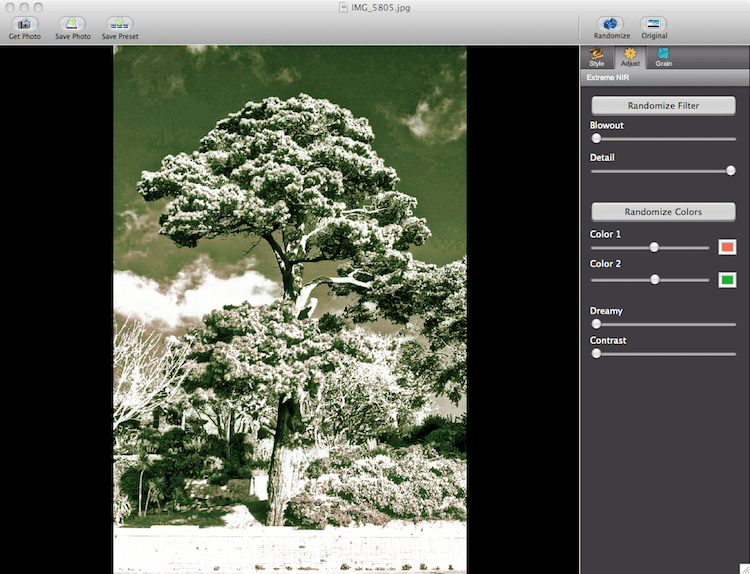
White trees and black skies – enter the world of warped color, known as infra-red photography. In recent years, the rise of affordable DSLRs has enabled photographers to put “last year’s model” aside for conversion to infra-red, and, as a result, infra-red has seen somewhat of a renaissance, particularly with landscape photographers looking for a way to make their pictures different. As with other forms of in-camera stylistics, infra-red is a look which a number of app publishers have tried to copy, but most have found that a realistic infra-red look is almost impossible to achieve. Can NIR Color, by JixiPix, provide a better experience?

The first thing I must say before looking at NIR in any depth is this – IR imaging is not truly replicable with a computer. Software can guess how colors would have appeared if taken in infra-red, but a true reflection of a scene as pictured in infra-red is impossible.

With this in mind, it is not surprising that NIR’s color-shifting filters don’t make an image look like it was taken in IR. But then again, JixiPix haven’t really attempted to make an IR emulator. The clue is in the name – it is called NIR Color, not IR Color.

Read More→

OSXcellence – Grungetastic Review

The charm of grain and of other imperfections adding to an image’s character is but a distant memory. At least it was until the arrival of the iPhone. Now, grain, dirt, burnt-out whites and blacks, and an inaccurate white balance seem to be a staple part of the photographic experience of most iPhone users. In certain circumstances, this can add a new artistic factor to an otherwise average image.

Many apps that allow the addition of such effects, however, don’t have particularly realistic or pleasing effects, especially in the case of grunge or distress filters, and most importantly, these filters are only available for images from iPhone users’ cameras.

Grungetastic for Mac ($7.99/£5.49) from JixiPix Software aims for cater to those who like this type of stylising in particular, and who either don’t have an iPhone or don’t want their iPhone to be part of the process.

Out of the box (or rather, the download) Grungetastic isn’t equipped with the hundreds of filters which many other apps flaunt. But that doesn’t matter, because each grungifiying effect is adjustable, from its smoothness, to the tone threshold, to the colours used for “defacing” the image. Then, you can pick from a very large selection of overlays – patterns of scratches, or damage, for artistic effect. The colour of these overlays can be modified, and two different overlays can be added to one image.

Read More→

ScratchCam for iPhone: Random Film Effects

It has gone from being a weakness to a disease. I’m addicted to iPhone apps that provide cool, vintage effects for my photos. And the developer of ScratchCam, Steve Arnold, is feeding my addiction with a genuinely cool iPhone, iPod Touch and iPad app.

The simplicity is beautiful, and so are the images. So all you do is open the app, and either take a photo or select one from your camera roll. You then click on the refresh button until you find an effect you like. If you see one you like, you can click on the heart icon, which saves it as a favorite. When your image is ready to share with the world, you simply press the Share button to share it via Flickr, Facebook, Twitter, or email. You may also opt to save it to your camera roll for future use, which I recommend that you do even if you share it via one of the social networking sites.

This little jewel normally sells for $1.99 in the App Store. However, at the time of writing this review, it was on sale for 99 cents. You can try the lite version, which I downloaded for the review, for free. Read More→

High Contrast Grunge Photography

High Contrast Grunge Photography takes the look of traditional Kodalith darkroom prints to the digital era (or for those of you still shooting with film, and developing in a darkroom, keeps Kodalith alive). By the way, there is a Kodalith group on Flickr!

Old Sneakers

Read More→