 For some time now, I have admired and used Pixlr-o-matic for adding style to my images. Only now, however, can I feature it in this column, as a Mac version has recently been released.
Pixlr-o-matic doesn’t have the largest range of styles; in fact, it has very few in comparison to other more popular filter apps. The reason I believe Pixlr-o-matic stands out from the crowd is due to the attractiveness, and careful selection, of the filters installed. As a result, when I want one-click stylising of an image, I rarely need to venture further than this app.
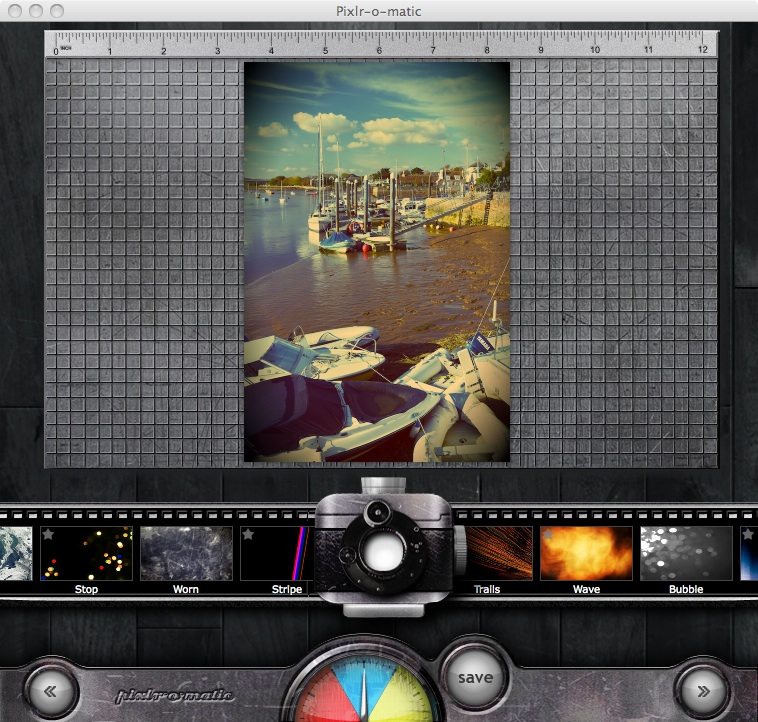
Pixlr-o-matic’s interface is very simple, with a live preview illustrating the current effects applied. Filters come on a “film-strip” which is dragged sideways to scroll through the options. The simplicity of this app’s system is refreshing, with a maximum of three effects applicable on any single image – a colour/exposure/sharpness layer, a texture/damage/artistic layer, and a frame layer. None is obligatory, and that’s a good thing, considering that most of the middle stage’s filters range from bizarre to ugly to pointless. The other two layers by themselves, however, provide truly stunning results which replicate great film effects of the past.

Mark Myerson loves photography, and in particular, hanging around waterfalls! Landscapes and nature have always been his staple, but he relishes any opportunity to take pictures. He also works closely with many local charities, regularly providing photographic coverage of fundraising events.
Mark is also a self-confessed tech-head and OSX lover – Apple is his favourite fruit!
Mark is the owner of Mark Myerson Photography, a Devon-based business that provides a large variety of photographic services to the local community and beyond. Whilst Mark Myerson Photography specialises in event, commercial and pet photography, almost every type of photographic assignment has been covered by the company.
If you have any photography or OSX-related questions, you can contact Mark via the links given below.


