Archive for backup

Get Unlimited Cloud Photo Storage From Amazon

Amazon-Cloud-Drive-LogoThere’s a saying, “if your data doesn’t exist in 3 places, it doesn’t exist”. Do you have copies of your client’s photos in at least 3 different places? One copy in the studio for daily use, one copy on a hard drive that is off-site but easily accessible, and a copy stored in the “cloud”.

Amazon-Cloud-DriveWhatever your backup routine is, having a copy of your photos off-site is very important and Amazon just made it a little more affordable to do.

Amazon announced two new “unlimited” storage plans for their Cloud Drive service. The “Unlimited Photos” plan for $11.99 per year (after the 3 month free trial) allows you to store an unlimited amount of photos and 5GB of other files in the cloud. With the “Unlimited Everything” plan for $59.99 per year (after the 3 month free trial) you can store an unlimited amount of photos, videos, files and documents. Read More→

Controlling Efficiency in Photo Processing: by William Petruzzo

In today’s competitive photography world, it’s a must that the professional photographer carefully select the best images to give to the client and to process each of those photos to their very best. But for many photographers, especially photographers new to the market, or even just the hobby, dealing with a huge number of images can be, well, daunting. Many underestimate the importance of developing and adhering to a workflow that will help them remain efficient with their time and energy. After all, if you charge $300 for a 1 hour portrait session, but take 6 hours to sort and edit the photos, you’ve severely diminished the value of your time. If you’ve read Angelo Stavrow’s outstanding article, “Three Reasons You’re Not Ready to Shoot a Wedding”, this article aims to help you get past number 2.

When I first started my business in 2003, scheduling was difficult because it was hard to estimate how much time I’d have free for shoots and processing of the resulting images. It also added significant challenge to forecasting profits and establishing reasonable pricing structures that made the money worth my time and energy. Over time, we have developed a mature and consistent workflow which all photographers we work with adhere to. It helps to keep us consistent and timely in our delivery of images. As well as helping to ensure that those images are safe in the event of a disaster.

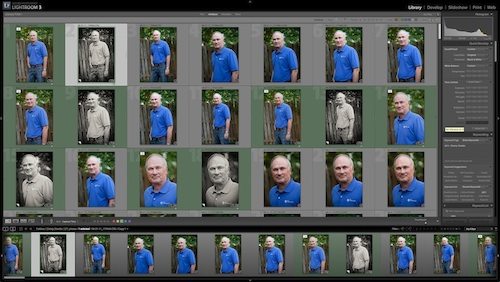
So, in the interest of helping newcomers work out their own strategies and start working on the important stuff as soon as possible, here are some of the things we’ve learned and you might want to keep in mind. At the end, I have also included a quick sample of a workflow using Adobe Lightroom. It’s fairly basic, but a good place to start if you find yourself stranded in a sea of awesome photos you don’t know what to do with.

Read More→

Saving Valuable Negatives: by Dominic Lee, AMPA

My wife tracked down and phoned the now retired photographer who shot her parent’s wedding and asked him if she could buy copies of the wedding photos. He barked out that he had dumped the negatives when he retired and put the phone down. It was clear from his reaction that this was not the first such request he had received. Was that an air of regret in his voice, did he realize that he could have charged the same price for 1(10×8) photo in 2011 as he received for the entire wedding album back in the 50’s? We will never know, and neither will he because he was foolish enough to dump the negatives.

Of course it’s a momentous task keeping all those files in a state of preservation and in a filing system which would allow you to retrieve them. And realistically the money you get for the odd copy you sell to some deceased relative is not worth the effort. But keeping the negatives or digital files could be of great value historically. Portraits of children making their First Holy Communion; judging from the fact that 80% of those attending Mass nowadays are OAP’s it wont be long before First Holy Communion photographs become as rare as hens teeth.

I used to photograph 4 or 5 Priests getting Ordained every year. I even photographed a Nuns Profession. I bet there isn’t a photographer under 40 who has been asked to cover any of those. So even photographs with Priests or Nuns in them will have an historic value in the not too distant future. Read More→

Drobo FS and Apple Time Machine – Perfect Together

drobo LogoMay 22, 2010 – If you’re looking for a file storage and backup solution for your small Mac based studio then look no further. Data Robotics new Drobo FS provides network file sharing capabilities and automated data protection with Apple’s Time Machine backup software.

drobo FS

Read More→