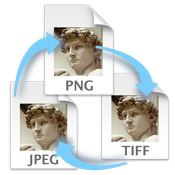
 Digital image files go through a number of manipulations – the precise number varying on how excitable the photographer is in Photoshop – on their way from camera to print or online sharing. In addition, however, many images end up being changed from format to format, especially when the images are on their way to an image library.
To change single images between file types, programs such as Photoshop can be used to re-save the image into the desired file type, but this isn’t particularly quick or efficient.
A number of OSX apps offer an alternative to this method, allowing drag-and-drop conversion. One example of such an app is the not very imaginatively named, ImageConvert.
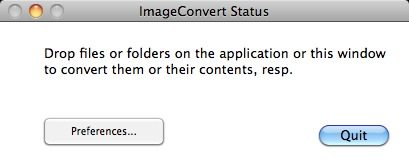
ImageConvert is probably one of the simplest apps available in any genre, providing the user with just two options – “preferences” or “quit.” Read More→

Mark Myerson loves photography, and in particular, hanging around waterfalls! Landscapes and nature have always been his staple, but he relishes any opportunity to take pictures. He also works closely with many local charities, regularly providing photographic coverage of fundraising events.
Mark is also a self-confessed tech-head and OSX lover – Apple is his favourite fruit!
Mark is the owner of Mark Myerson Photography, a Devon-based business that provides a large variety of photographic services to the local community and beyond. Whilst Mark Myerson Photography specialises in event, commercial and pet photography, almost every type of photographic assignment has been covered by the company.
If you have any photography or OSX-related questions, you can contact Mark via the links given below.
