Archive for Photoshop – Page 4

HDR – What’s Next and What’s Already Possible

Love it or hate it, high dynamic range photography (and video if you’ve been keeping an eye on Soviet Montage Productions) is the future. HDR photography isn’t new by any means but the technologies that are evolving are quite exciting.

Photoshop CS5 was shipped with it’s latest HDR innovation and Canon have raised the game with their recent patent application (USPTO Appl. No. 12/630,594). Without going to to too many details, it seems that Canon have found a way to alter exposure values at pixel level, thus creating a single image, from a single frame, with a wider dynamic range than we’ve seen from any DSLR.

Now that’s pretty exciting wouldn’t you say?

I had plans to head to the PhotoCreative workshop and build a camera from the ground up which uses a beam splitter optic and two full frame sensors… but this might prove a tad time consuming and somewhat expensive so I’ll wait to see what Canon come up with!

The thing is I’m not really a massive fan of HDR software… I’m a wedding and portrait photographer, so posing a subject in a Daguerreian style whilst a capturing multiple frames it’s terribly practical.

Till Canon tempt me into another camera body with this new technology, I’ve settled for merely taking advantage of the wonderful range that my RAW images already have.

Just for the record I don’t use Lightroom or any ‘reclaiming’ tools. All of my RAW files are processed using Aperture (which gives you a better range to work with than Camera RAW). The changes after that are all done in Photoshop utilizing the channels.

Here’s quick example of how I like to increase the dynamic range of my images…. (This isn’t a full on tutorial but the fundamentals are there) Read More→

Easy and Creative Grunge Effects

Grunge photography has become the latest trend in photography.  This tutorial is going to walk you through 6 very easy steps to taking your photo to the grunge level.


In this tutorial, we will be increasing the contrast, adding grunge effects to the image as a whole, adding tram lines to the right and left, and finally warming the image through the use of photo filters.

By the end of this tutorial, you will have learned where to find free software (if you don’t have Photoshop), and know how to create your own grunge effects. Read More→

Adobe Announces Photoshop & Premiere Elements 9 Bundle

Adobe LogoPhotoshop Elements 9 and Premiere Elements 9 Bundle BoxSept 21, 2010 – PRESS SUMMARY – Adobe Systems Incorporated announced Adobe® Photoshop® Elements 9 & Adobe Premiere®Elements 9 for Windows® and Mac, the newest release of the No. 1 selling consumer photo- and video-editing software.* Available as standalone products or as a single retail package, the Photoshop Elements 9 and Adobe Premiere Elements 9 bundle offers the most complete photo and video editing solution delivering two powerful yet easy-to-use products at a very compelling price point. This release also brings Premiere Elements to the Mac platform for the first time.

Create Compelling Photos and Videos with Groundbreaking Features
Photoshop Elements 9 and Premiere Elements 9 feature all the tools users need to make the most of their photos and videos. Adapted from Photoshop CS5’s celebrated Content Aware Fill feature, the content intelligence in the Spot Healing Brush analyzes what’s in the image and quickly de-clutters or repairs photos (like removing tourists from a crowded scene) with a swipe of a brush, magically filling in the background. Several new Guided Edit options walk users step-by-step through the process of achieving cool editing effects such as Out of Bounds, making an element of a photo appear to leap off the page in 3D, creating pop art masterpieces, or retouching made easy via the perfect portraits feature. Read More→

Adobe Announces Photoshop Elements 9

Adobe LogoPhotoshop Elements 9 BoxSept 21, 2010 – PRESS SUMMARY – Adobe Systems Incorporated announced Adobe® Photoshop® Elements 9 software for Windows® and Mac, offering a complete photo solution to anyone who wants to organize, edit, create and share extraordinary photos. With the newest version of the No. 1 selling consumer photo-editing software,* Adobe delivers powerful new technology to equip every consumer with the ability to achieve professional results easily and quickly.
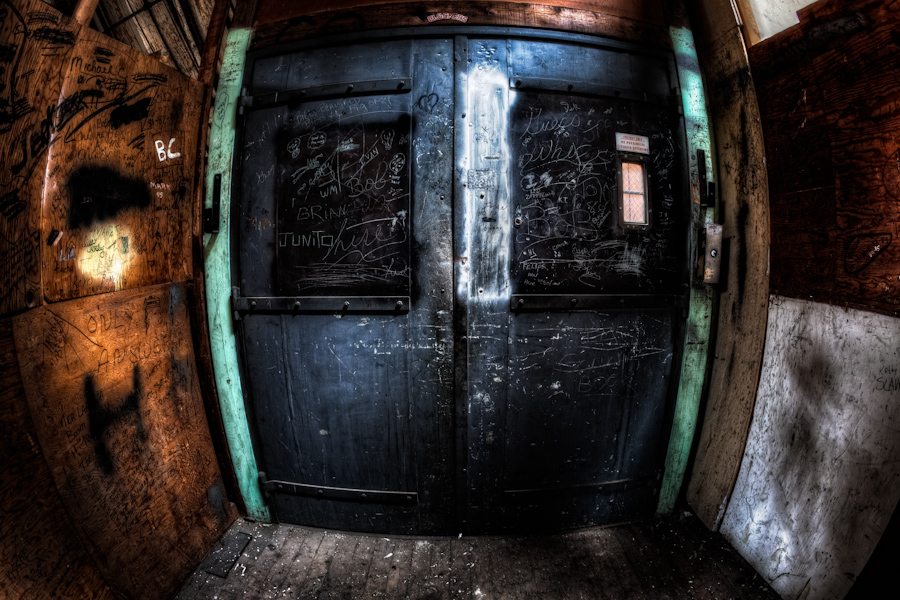
Image Intelligence for Easy Editing
Photoshop Elements 9 uses powerful technology to make even the most complex results achievable for anyone. Adapted from Photoshop CS5’s celebrated Content Aware Fill feature, the content intelligence in the Spot Healing Brush analyzes what’s in the image and quickly de-clutters or repairs photos (like removing tourists from a crowded scene or an obstruction, such as a telephone pole) with a swipe of a brush, magically filling in the background. The same content intelligence synthesizes missing pixel information to create a stunning panorama from multiple photos, without leaving any gaps or blank spaces. Read More→

HDR Best Practices Guide – Part II: Image Management

So, you finished reading ‘HDR Best Practices Guide – Part I: In The Field’, and went out for a shoot. You had all of your wits and your gear about you when you set up your tripod and fired off those lovely brackets. You’ve got the raw materials (fine, pun partially intended) and now it’s time to refine them into something truly beautiful.

My original intent for Part II of this HDR Best Practices Guide was to delve into the actual tone-mapping and post processing steps around HDR. But, I felt that I would totally be glossing over an extremely important part of the whole HDR photography lifecycle by ignoring Image Management. So, I decided to devote Part II of this Guide to this topic because a clean home is a happy home. Part III will nose dive into the goodness of Photomatix, Photoshop, and everything in between.

I could write a whole book on the importance of image management. Many people already have. Your images are your primary, precious  resources. As such, they have to be properly cataloged and inventoried so that you know exactly what you are looking for, how to find it, and how to deal with it. Image Management is critical when you’re simply dealing with single images. Imagine what happens when you’re dealing with several brackets per HDR image. Here are some ‘Best Practices’ that I religiously follow to help prevent myself from losing sanity over my  abyss of brackets.

Canon EOS 5D Mark II, Canon EF 15mm f/2.8 Fisheye, 15mm, F 5.6, ISO 100, HDR, 9 Exposures – Click on image to enlarge

Read More→

Photoshop World Conference & Expo Now Offering One-Day Passes

Photoshop World LogoAug 13, 2010 – PRESS SUMMARY – For the first time ever, the 2010 Photoshop World Conference & Expo is offering one-day passes to potential conference attendees, giving them the opportunity to get the most complete Photoshop, Lightroom and photography education available anywhere.

Photoshop users, photographers and students from around the world will now have the opportunity to learn from the industry’s best and brightest instructors at Photoshop World, even if they cannot attend all three jam-packed days of training.

“We want everyone to feel like they can get a taste of the Photoshop World experience, even if they can only attend for one day,” said Matt Kloskowski, National Association of Photoshop Professionals (NAPP) “Photoshop Guy” and training and curriculum developer. “With a one-day pass, you now have access to amazing training, including the first complete live CS5 and Lightroom 3 training available anywhere, to help enhance your skills and improve your career, without taking too much time from your busy schedule.”

Taking place September 1-3 at the Mandalay Bay Resort & Casino in Las Vegas, Photoshop World features more than 100 training sessions dedicated to subjects ranging from Photoshop and Lightroom to photography and lighting techniques. This year’s conference includes tracks dedicated to Social Media, Business, Weddings and Portraits. Read More→