Archive for FX Photo Studio

OSXcellence – PhotoStyler Review

PhotoStyler LogoInstagram has achieved astonishing popularity given its restricion to Android and iOS. At present, however, there is no true Mac equivalent to the easy styling found in Instagram. That’s not to say there aren’t plenty of fine “effects” apps available for OSX (see CameraBag 2 and FX Photo Studio Pro) – it’s just that none of them has the same speed and simplicity as the Facebook-owned mobile photo app. Well, when I say none…PhotoStyler from NeatBerry looks like it’s trying to be next best thing, but does it do the job?

Well the quantity of preset styles in PhotoStyler is not an area of concern. 138 are available, and can be ordered by tags, such as Retro or Lomo; you can also add your own tags, essentially allowing you to create custom groups of styles for easy access. If you want instant styling, you can just choose one of the presets, and you’re ready for upload or saving – conveniently, PhotoStyler includes the ability to upload pictures straight to Flickr or Facebook.

If you want more control, however, PhotoStyler allows you to tweak and tinker with the preset styles, or even create your own. The preset styles in PhotoStyler are actually combinations of “filters.” These are layers which add effects to your image; for example, the “Instant EK6” preset style consists of the polaroid-style frame and “Instant Photo” filter, the “Color of 70s” filter, which replicates the colour-warping which films of this era tended to exhibit, and the “Flare” filter. The result is a very believable film effect, and you can fine tune the look using the in-built filter adjustments, such as brightness and contrast.

PhotoStyler ScreenShot

Read More→

OSXcellence – CameraBag 2 Review

The original CameraBag was one of the first style and edit apps, not only on Mac, but on iPhone too. It was well built, and performed well, but since then it has been trumped by FX Photo Studio Pro (see my review) in this category. Now, however, the folks at NeverCenter have come back fighting, with their new offering, CameraBag 2.

CameraBag 2 is a slick looking app, but pretty looks aren’t the main feature of this app. Editing is conducted using impressive 32-bit processing, RAW is supported, and editing is non-destructive – all high-level features, aimed at the serious photographer. CameraBag 2 includes 100+ filters under the Styles tab, but far more important than this are the editing controls under the Adjust tab. Here you find the standard fare of contrast, saturation, exposure and so on, but additionally, more higher-level controls, such as RGB and luminance curves, selective saturation and grain. When these are used in conjunction with the adjustable inbuilt filters, almost any effect is achievable. What is striking is the quality of manipulated images, thanks to the 32-bit processing; this app produces classy, print quality pictures.

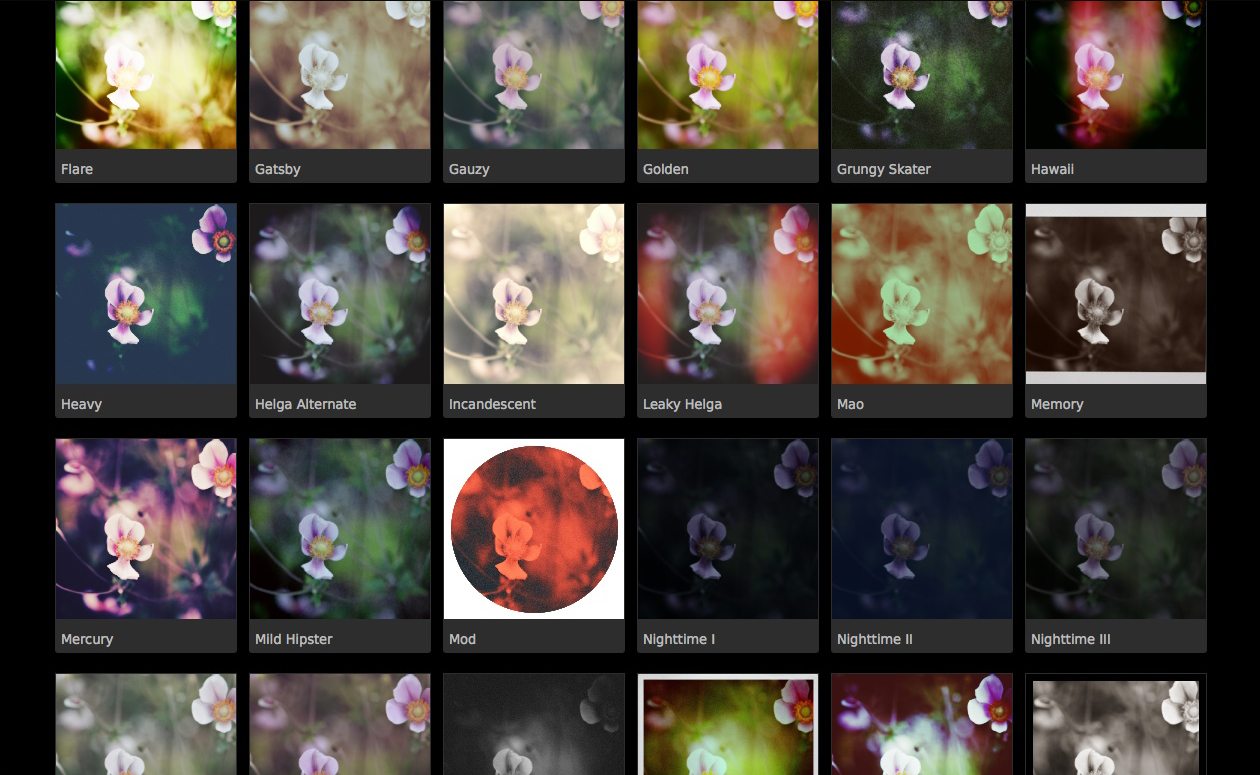
The preset filters that come with CameraBag 2 are very nice, both in terms of quality and quantity. Most are based on various print or film types and techniques, and are (in my opinion) very stylish. Examples include “Cyanotype,” “Leaky Helga” and “Super 1962.”

Read More→

OSXcellence – FX Photo Studio Pro Review

(O.K., O.K…. another effects app. But this one is different, I promise!)

I have reviewed a few effects apps for Mac in this series, and used many more. Some have been good, some limited, some very average. Having used FX Photo Studio Pro ($39.99/£27.99), however, I can say that anyone who purchases this app may never need another effects app again.

Extreme praise you may be thinking. But I think it is merited – FX Pro has raised the bar for stylising as far as I am concerned, not just because of the vast quantity of high quality filters it provides; nor just because you can add as many styles to an image as you like; nor is it because all the filters are highly adjustable. It is because of the app’s sleek, beautiful design, its stability, and its ease of use. It is fair to say that I prefer using this to iPhoto (though obviously FX Pro performs a different function).

Importing images is as straightforward as drag-and-drop, and images load at lightning speed, with a high quality preview.

Step one is to apply one or more effects. With 172 effects, given their quality, if you can’t find an effect to suit your picture amongst this selection, you’re not trying hard enough. What’s more, all of these effects are customisable, and I’m not just talking about a “strength” slider. One of the better examples is the very fine tilt-shift filter; the strength of blur, and the radius of the focus sweet spot are selectable, along with the actual placing of the sweet spot. The colour warping filters can be adjusted to include a smaller or larger colour target range, whilst even a 3D effect can be applied, with the degree of depth adjustable.

Using these effects is a great experience. All are accessible from the bar at the bottom, and can be located by category, by the search bar, or from your favourites list – yes, there is one for sorting the proverbial “wheat” effects, from the “chaff” ones.

Another killer feature here is the ability to save and recall presets; that is, the particular settings you have used for an effect, meaning even speedier effect application. The ability to see a “before and after” split-screen is another welcome bonus. Read More→