Archive for CameraBag 2

OSXcellence – LightFrame Review

Great images will always be pleasing on the eye, but the overall impression a viewer will get is dependant on how that image is presented. This includes factors such as whether the image is digital or on paper, editing quality, but also framing. Whilst you can just go out and buy a frame for printed pictures, digital images need the help of some software to make them stand out. LightFrame uses OSX’s in-built textures to superimpose digital frames around your pictures, but is it a presentation improver or degrader?

The first thing I noticed about LightFrame is how dodgy the viewing controls are. I tried to zoom in and out of the picture, but just ended up with a semi-zoomed-in view which was heavily distorted – not a good start. Loading up the tools in LightFrame is easy enough (assuming you guess that the “scenes” button opens up the tool palette), as is the process of using the tools themselves. Alongside the framing options, LightFrame has a number of other features, such as the ability to add a caption or sprite to the image, plus image cropping and resizing.

The textured frames in LightFrame are terrible, looking like something grabbed from a gaudy mid-90s web page. On the plus side, the plain colour frames look okay, and LightFrame’s in-built shadow creator is pretty nifty, allowing you to select the angle of light. In addition, LightFrame can create borderless frames (like the clip ones); that is, it can create the shiny effect of its real-life counterpart.

The rest of the functions in LightFrame work well enough, although the list of apps out there that will perform the exact same functions (many being free, I should add) is the size of several directories. It is also worth noting that many of LightFrame’s rivals work a great deal better. Read More→

OSXcellence – PhotoStyler Review

PhotoStyler LogoInstagram has achieved astonishing popularity given its restricion to Android and iOS. At present, however, there is no true Mac equivalent to the easy styling found in Instagram. That’s not to say there aren’t plenty of fine “effects” apps available for OSX (see CameraBag 2 and FX Photo Studio Pro) – it’s just that none of them has the same speed and simplicity as the Facebook-owned mobile photo app. Well, when I say none…PhotoStyler from NeatBerry looks like it’s trying to be next best thing, but does it do the job?

Well the quantity of preset styles in PhotoStyler is not an area of concern. 138 are available, and can be ordered by tags, such as Retro or Lomo; you can also add your own tags, essentially allowing you to create custom groups of styles for easy access. If you want instant styling, you can just choose one of the presets, and you’re ready for upload or saving – conveniently, PhotoStyler includes the ability to upload pictures straight to Flickr or Facebook.

If you want more control, however, PhotoStyler allows you to tweak and tinker with the preset styles, or even create your own. The preset styles in PhotoStyler are actually combinations of “filters.” These are layers which add effects to your image; for example, the “Instant EK6” preset style consists of the polaroid-style frame and “Instant Photo” filter, the “Color of 70s” filter, which replicates the colour-warping which films of this era tended to exhibit, and the “Flare” filter. The result is a very believable film effect, and you can fine tune the look using the in-built filter adjustments, such as brightness and contrast.

PhotoStyler ScreenShot

Read More→

OSXcellence – CameraBag 2 Review

The original CameraBag was one of the first style and edit apps, not only on Mac, but on iPhone too. It was well built, and performed well, but since then it has been trumped by FX Photo Studio Pro (see my review) in this category. Now, however, the folks at NeverCenter have come back fighting, with their new offering, CameraBag 2.

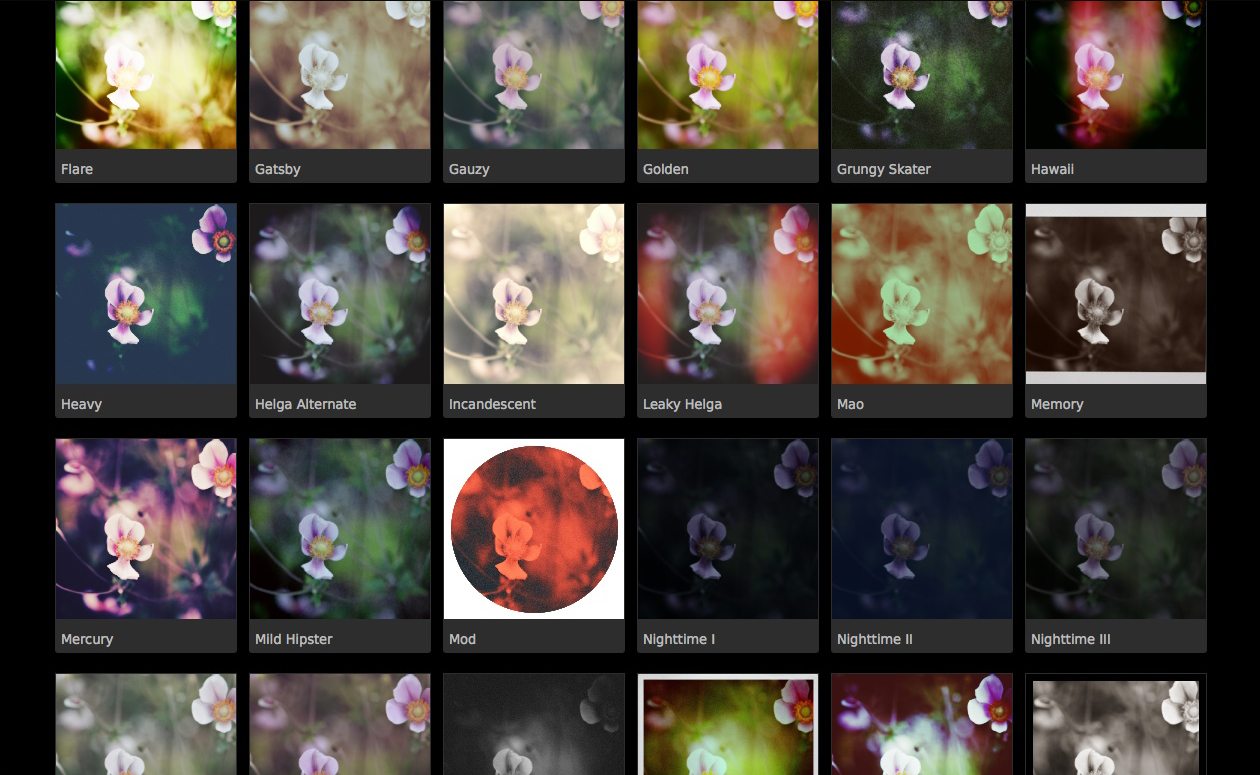
CameraBag 2 is a slick looking app, but pretty looks aren’t the main feature of this app. Editing is conducted using impressive 32-bit processing, RAW is supported, and editing is non-destructive – all high-level features, aimed at the serious photographer. CameraBag 2 includes 100+ filters under the Styles tab, but far more important than this are the editing controls under the Adjust tab. Here you find the standard fare of contrast, saturation, exposure and so on, but additionally, more higher-level controls, such as RGB and luminance curves, selective saturation and grain. When these are used in conjunction with the adjustable inbuilt filters, almost any effect is achievable. What is striking is the quality of manipulated images, thanks to the 32-bit processing; this app produces classy, print quality pictures.

The preset filters that come with CameraBag 2 are very nice, both in terms of quality and quantity. Most are based on various print or film types and techniques, and are (in my opinion) very stylish. Examples include “Cyanotype,” “Leaky Helga” and “Super 1962.”

Read More→

Nevercenter Redesigns Photo Editing With CameraBag 2

February 2, 2012 – PRESS SUMMARY – Nevercenter released CameraBag 2 for Mac and PC, a desktop photo app with a whole new approach to photos. Redesigned from the ground up, CameraBag 2’s new Analog Engine pairs a full suite of photographic tools with the high quality filters and vintage simulations the series is already known for. Its key innovation is a stunningly straightforward approach to layering, rearranging, and endlessly tweaking all of these effects in realtime. The 100+ fully-adjustable filters and 25+ professional controls CameraBag 2 ships with are only the beginning, forming the palette from which users create their own styles.

Read More→