Archive for Google

Google Wants Your Photography Website to be Mobile-friendly

Google LogoMobile devices such as smartphones and tablets are everywhere. We all have them, and we use them everyday (all day). Your clients and prospects are using these devices as well. Brides are sitting on the couch watching TV and searching for their florist, reception hall, and yes, even their wedding photographer.

Google-Responsive-TestThis is not news, but if you have an old Flash powered website you already know it won’t display or function properly on iOS devices, and performance is sketchy at best on Android and Windows Phone devices. So if those Brides are searching for a wedding photographer and your site doesn’t display, they will move on to your competitor who has a mobile-friendly website.

Google and the other search engines see the value in mobile-friendly websites as well. In fact, Google has been pushing for the use of “responsive design” for quite some time now. They have even stated that they prefer a responsive website as opposed to a separate mobile website, as this helps them assign authority to one site only rather than having to choose between the two.

Google will be expanding the use of mobile-friendliness as a ranking signal. This change will affect mobile searches in all languages worldwide and will have a significant impact on search results.

Basically what they are saying, if your site is mobile-friendly you will get higher organic search ranking than if your site is not mobile-friendly.

So what should you do? First head over to this post on Google Webmaster Central. Give it a read and then test your current site to see if it is mobile-friendly. If it is, awesome, you’re all set! If not, you should really think about updating your website to a more modern responsive design.

If you need help with a new website for your photography business, be sure to check out our Websites for Photographers service. Our awesome mobile-friendly designs will make your business look great and help you get found in the search engines.

Marketing Campaigns for Photographers – The Fabulous Five

Your blog is undoubtedly the most powerful online marketing tool you have at your disposal but if you think that you can rely on SEO and cleverly written post titles to drive traffic your way then think again.

Your blog coupled with the right amount of social media sharing is an effective marketing combination. The question I am often asked is what social networks are best to promote your business and ultimately get more work.

There’s no real answer to that other than there isn’t just one. There isn’t really a typical client for every type of business but there are a few generalisations which can help you.

This marketing campaign is titled The Fabulous Five because it is about identifying at least 5 different social networks where you can drive traffic and potential clients to your site.

Why 5?
Well if you have the time to share on 10 different platforms then don’t let me stop you! Using 5 different social media platforms should be manageable enough and it also gives you a varied enough spread.

Read More→

Marketing Campaigns for Photographers – Instagram

As a professional photographer you might scoff at the idea of using an app like Instagram to market your business. Or perhaps the fact that you’ll be using a camera phone to take and share images might chill you to the bone. But the fact of the matter is that Instagram is popular, very popular indeed so why wouldn’t you be embracing a popular photography community?

To be honest becoming a heavily followed and liked photographer in the Instagram community isn’t the target of this campaign but if that happens then it’s certainly a bonus.

The fact of the matter is that this campaign can be done on any number of photo sharing applications or networks, it’s just that Instagram ticks lots of the boxes that I need.

Using Instagram as a tool to promote your business.

There are several recommendations when it comes to the frequency of sharing on sites like Facebook, Tumblr or Twitter but there is an overwhelming agreement that daily sharing is essential to keep fans and followers engaged. The problem is that creating good daily content isn’t the easiest thing to do and it can be quite time consuming. Read More→

Upload Your Photos to Google+ with Google Plus Photo Importer

Are you one of the 40 million or so who are on Google+? If so, you might want an easy way to import photos from your Facebook, Flickr, Instagram or Photobucket feeds to one of your Google+ albums.

As you may know, Google+ has an application that allows you to instantly import your Android phone photos to your Google+ album. You’re right. Why would you know that? If you are reading this review you are likely an iPhone user.  But for what it’s worth, they do.

Google Plus Photo Importer by Dropico can let you accomplish the same thing…only better.

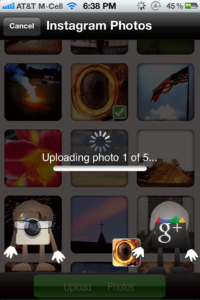
Just allow Google Plus Photo Importer to access your Facebook, Flickr, Instagram, and/or Photobucket accounts. Click on the appropriate icon, and select your photos to import. You then select the folder to which you wish to add your photos and choose upload. Yes, it’s that simple.

I use it to upload some of my favorite iPhone shots to an album called iPhone Photos on Google+. You can find me here on Google+.

If nothing else, it is worth downloading for the cool animation that they use when transferring the files. It costs 99 cents and is available in the iTunes App Store.

Check it out!

All the best…Mike

Friday Business Challenge – Week 4: "Must Do" SEO Tactics for Photographers

Welcome to week four of the Friday Business Challenge bought to you by Current Photographer and Today is Different. Not sure what The Challenge is about? Click here to find out: Welcome to the Friday Business Challenge.

So how did you go with last week’s challenge? Did you do it? Don’t worry if you haven’t yet, just go back and do it any time before the challenge ends.

We want to give a big shout out to Toni Aull for participating in the Friday Business Challenge for Week 3. Be sure to check out Toni’s Flickr stream to view her work and to learn more about her.

So on to week number four.

7 Basic “Must Do” SEO Tactics for Photographers

SEO is a large and complex topic. You can pay someone to do it for you or you can immerse yourself in all of the technical information trying to figure out how to optimize your site.

The truth is you may need to adopt one or the other of the options above. But before you do, try these tactics and make some small adjustments, and most likely you will see improved rankings quite rapidly.

The Challenge & the Reward

We want to see you succeed in your photography business. Participating in the 7 weeks of challenges will help you focus on taking action towards making your business the best it can be.

Sharing your experiences with others is also a great benefit to the community, so we want to hear from you. Tell us how you did with the weeks challenge in the comments below. In return we want to give you a little promotion (and who doesn’t want that?) Be sure to include links to your website, blog, Twitter profile, Facebook Page, LinkedIn and any other profile you’d like to share with the community.

We’ll select the best, most thought out comments to be featured in next weeks challenge along with a post on the Today Is Different blog. Just think of all those wonderful links you’ll get to help your SEO!

As an additional incentive we are offering you a chance to get one of your favorite photographs featured at the top of CurrentPhotographer.com. We’ll include your image, your name or company name along with your website url. When the graphic is clicked the viewer will be taken directly to your website. Nice way to get a little extra attention huh?

So how do you get your image featured you ask? It’s simple, just click the “Tweet & Get It” button below. You’ll automatically tweet the special phrase and get immediate access to a free e-book that Trevor has put together titled “How to Pimp Out Your Twitter Profile in 4 Easy Steps”.

We’ll pick 4 random Twitter followers who tweet the special phrase and send them a Direct Message with details on how to submit their photo and information.

At the end of the 7 weeks we’ll have a special gift for all those who participated and commented. Trevor and I have put together a couple of great e-books that we’d like to give to you for FREE just to say thanks.

So keep participating in the challenges, keep the comments coming and share your accomplishments with your friends on Twitter and Facebook to let them know “you’re in it to win it!”

See you next Friday for Seven Steps to Designing a Referral Program…

–

I am a portrait photographer and a workshop facilitator. I am passionate about what I do and thrive amongst people who are innovative and love what they do. I am in my element in the midst of conversations where ideas are spread and opportunities are discovered.

Today is Different provides workshops, retreats and consulting for professional photographers in Sydney, Australia.

We help you to:

  • Find your uniqueness and your fantabulousness
  • Stop selling products and services and start providing
    an experience
  • Find clients that you love and that love you right back
  • Simplify by focusing on what is truly important

Today is Different

Company: Today is Different
Phone: +61 403 500 801
Email:
robyn@todayisdifferent.net
Website:
http://www.todayisdifferent.com.au/
Blog: http://www.todayisdifferent.com.au/blog
Twitter:
@RobynMayne
Facebook:
http://facebook.com/TodayIsDifferent

© 2017 Robyn Mayne

Here’s how you can share your tips, techniques and tutorials on CurrentPhotographer.com

–

The Secret to SEO Conversion: by Zach Prez

Many of my photography marketing posts talk about SEO – the simplest form of affordable advertising where the only cost is your time spent. This post talks about the importance of titles and meta descriptions, and why the keywords in the meta description don’t matter!

Titles First

A webpage title appear at the very top of the browser window, above the URL bar. Keywords here accurately describe the topic of the page. You’re not going to find Charlie Sheen content on a page titled “Best Atlanta Wedding Photo Albums”. You know what you can find on that page I just mentioned without even looking at it. So does Google and so do your potential clients. Keywords in the title not only match your page to search queries, but more importantly show on the search results page. That’s right, the list of links you see in the top 10 of Google are all page titles, and are the deciding factor for whether a searcher clicks to your site, or chooses someone else’s.

Below is a sample search result for “Best Atlanta Wedding Photo Albums”. The title of the page appears as a blue link. Notice that the words in my search (best, Atlanta, wedding) become bolded. It even bolds “photography” which is not what I searched, but closely related.

These factors align searchers to your page and act as cues for them to click you.

The meta description for a page or post appears as the black text below the blue link on a search result. This is the only place it appears, thus is often forgotten, but has a tremendous impact on how many people click on your link. The keywords in a meta description don’t necessarily help a page/post rank better, but will stand out as bold to help convert users to click. As a user, I’m likely to choose the above website because the photographer is the best, award-winning photographer in my area (or so the claim goes). Does your homepage description speak to your strengths and encourage users to choose you over someone else? Read More→